Table of Contents
You need to schedule social media content, but finding the right tool is a huge time sink. Success means spending less time on manual posting and more time on work that actually grows your business.
This guide skips the fluff and gets straight to the point. We'll show you the best social media scheduling tools based on who they're really for—from solo creators to small agencies.
Here’s what you’ll find:
- Clear selection criteria to help you choose the right tool fast.
- Use-case recommendations so you know which platform fits your workflow.
- A simple comparison table to see the top options at a glance.
But scheduling is only half the battle. You first need a steady stream of high-quality content to post. We’ll show you how a tool like Flowjin solves the content creation problem before you even think about scheduling, turning your existing long-form videos and podcasts into weeks of ready-to-post clips.
Let's find the right tool for your workflow.
How to Choose the Best Social Media Scheduling Tools
Before diving into the list, use these criteria to evaluate each tool against your needs:
- Content Workflow: Does the tool help you create content or just schedule it? If creating fresh posts is your biggest bottleneck, look for a tool with integrated content creation or repurposing features.
- Supported Platforms: Does it support the social networks where your audience lives? Check for direct posting capabilities for Instagram Reels, TikTok, LinkedIn, and YouTube Shorts.
- Ease of Use: How quickly can you get started? A simple, intuitive interface is crucial for busy marketers who don't have time for a steep learning curve.
- Scalability & Pricing: Does the price fit your budget now and as you grow? Look for transparent pricing that doesn't penalize you for adding team members or accounts.
- Analytics & Reporting: Can you easily track what's working? The tool should provide clear, actionable insights to help you improve your strategy.
Our Top 12 Picks for the Best Social Media Scheduling Tools
1. Flowjin: Best for Repurposing Content into a Full Calendar
Most scheduling tools assume you already have a library of content ready to post. Flowjin is different. It starts by solving the biggest problem for busy creators: actually creating the content.
Flowjin is an AI-powered content repurposing and scheduling platform for marketers and creators who want to turn long-form videos or podcasts into a steady stream of social media content. It finds the best moments in your long-form content, transforms them into branded, share-ready clips, and then lets you schedule them—all in one place.
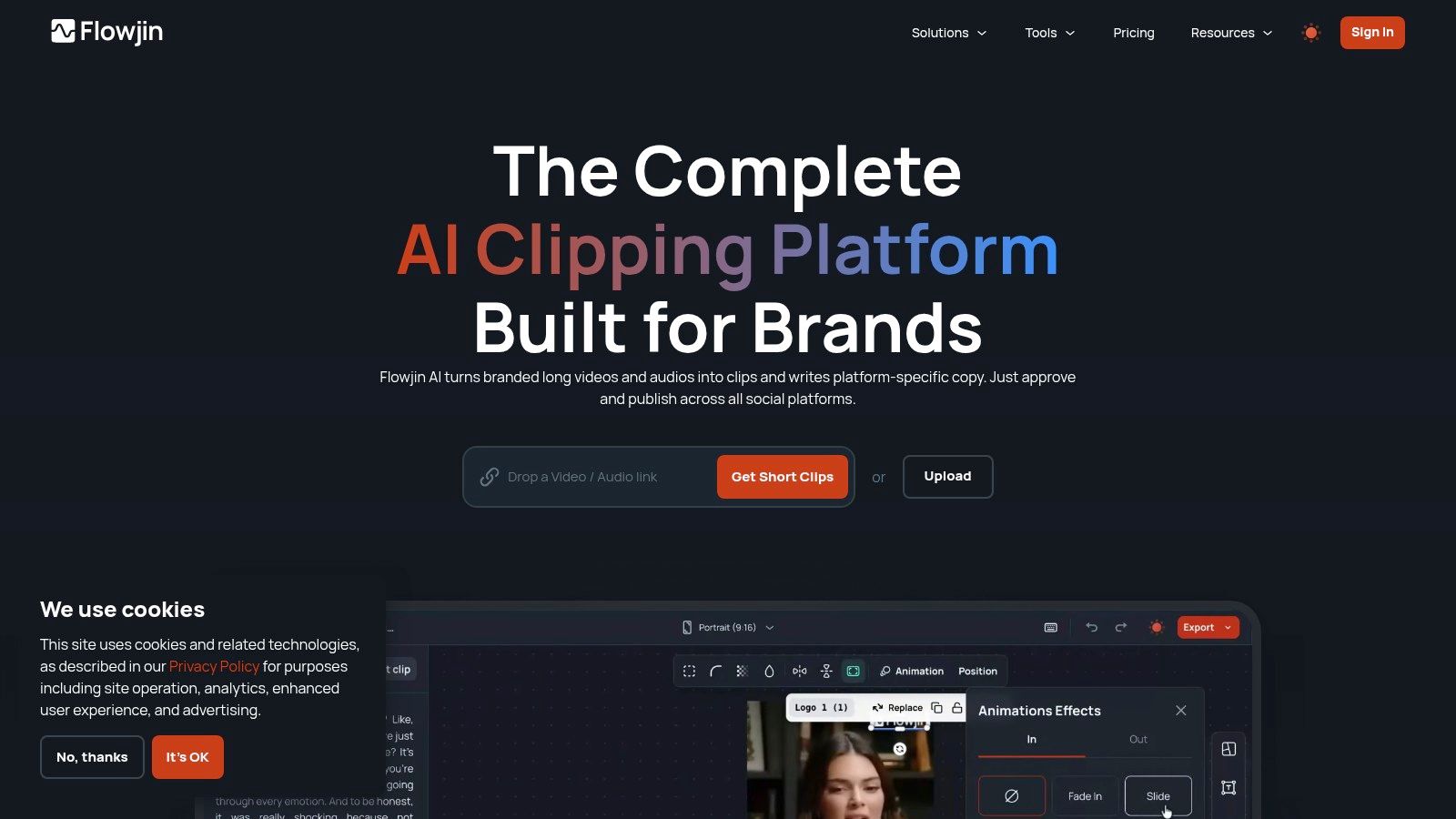
Here's the workflow:
- Upload your long-form content: Add a podcast episode, webinar, or video interview.
- Get AI-generated clips: Flowjin's AI identifies engaging moments and turns them into short video clips, complete with animated captions and your branding.
- Review and schedule: Your clips appear in a queue with AI-drafted copy. Tweak them in the simple editor, then schedule them directly to your social channels.
This integrated workflow turns one hour of content into a week's worth of posts, eliminating the need to juggle separate tools for clipping, editing, and scheduling.
Who is Flowjin best for?
Flowjin is ideal for podcasters, founders, and small marketing teams who create long-form content and want a repeatable system to maximize its reach. It replaces multiple subscriptions (clipping, editing, transcription, AI copywriter, scheduler), making it a cost-effective and efficient solution.
- Pricing: Starts at $19/month.
- Website: flowjin.com
Pros:
- All-in-one workflow: Combines AI highlight detection, editing, AI copywriting, and scheduling.
- Fast, branded output: Smart cropping and reusable templates ensure clips are ready in minutes.
- Podcast-friendly: Automatically generates audiograms, quote graphics, and transcripts.
- Cost-effective: Replaces the need for several separate, specialized tools.
Cons:
- Optimized for long-form: Best suited for content longer than 10 minutes.
- Limited project storage: Files are retained for 30 days, so you'll need to export your assets.
2. Hootsuite
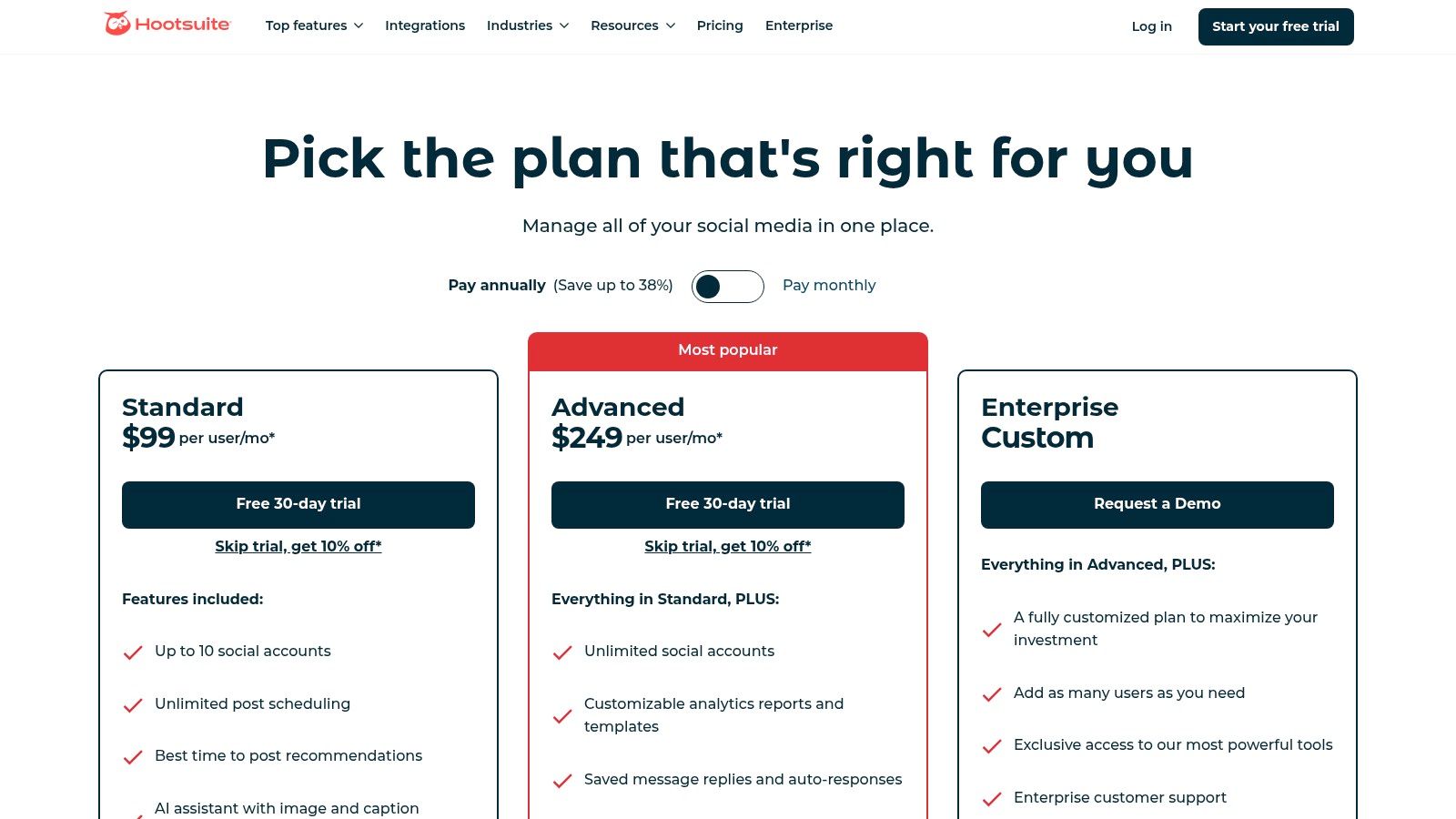
Hootsuite is one of the most established all-in-one platforms, ideal for larger teams and enterprises that need robust features for managing complex social media operations. It centralizes content planning, scheduling, analytics, and team collaboration in a single dashboard.
Who is Hootsuite best for?
Marketing agencies and large social media teams managing multiple brands. Its approval workflows, permission levels, and in-depth analytics support collaborative environments where oversight is critical.
- Pricing: Plans start at $99/month.
- Pros: Robust all-in-one platform, deep analytics, strong governance features.
- Cons: Expensive and complex for individuals or small businesses.
3. Buffer
Buffer is known for its clean interface and straightforward approach to social media scheduling. It's an excellent choice for small businesses and creators who prioritize simplicity and ease of use. The platform focuses on core features, making it fast to get started.
Who is Buffer best for?
Solo entrepreneurs, small marketing teams, and content creators who need a reliable, no-fuss scheduling tool. It's perfect for those who want to set up a content queue and get back to business.
- Pricing: A generous Free plan is available. Paid plans start at $6/month per channel.
- Pros: Very easy to use, transparent pricing, strong free plan.
- Cons: Per-channel pricing can become costly as you add more accounts.
4. Sprout Social
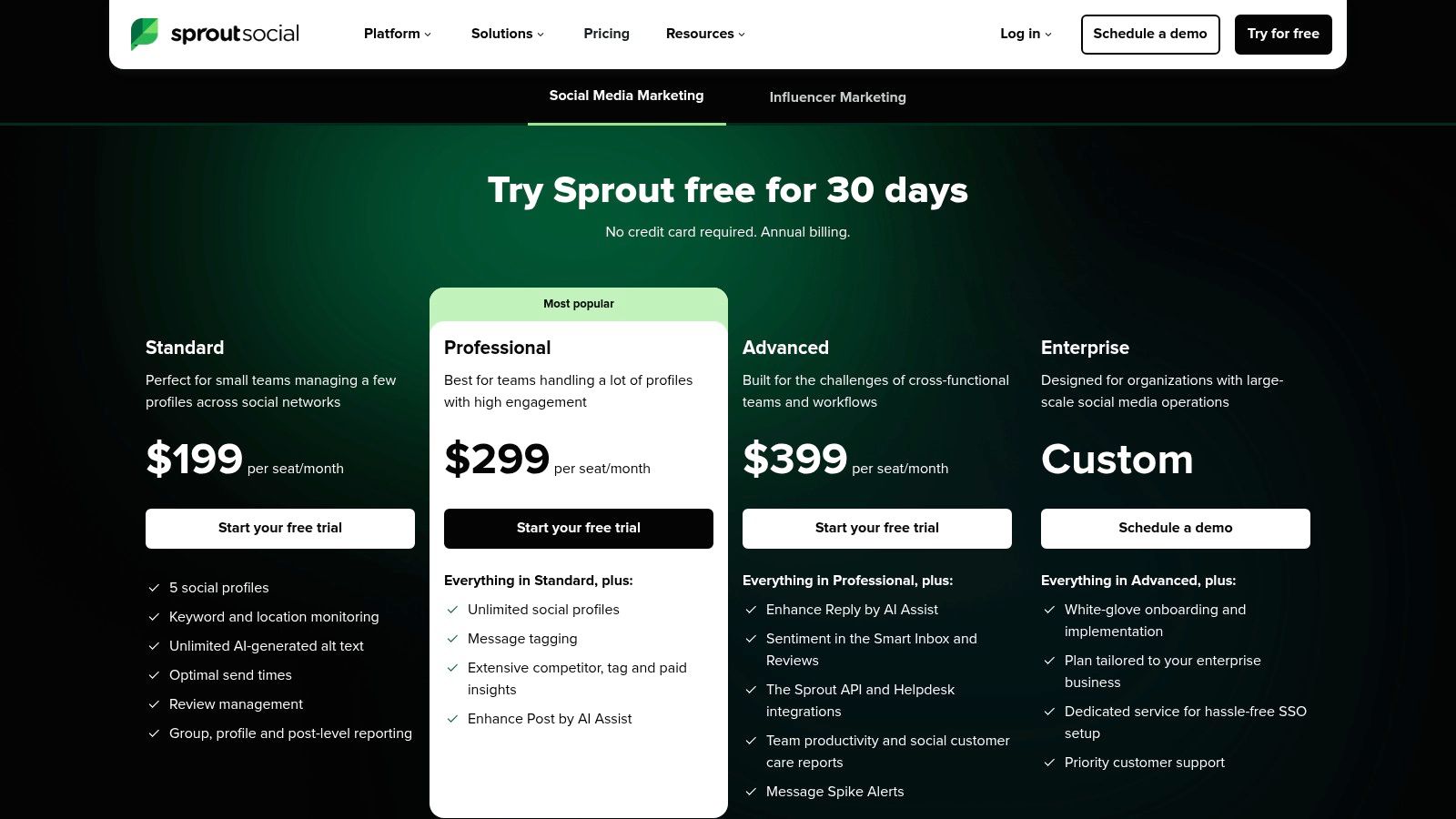
Sprout Social is a premium, all-in-one suite designed for organizations that need powerful analytics, social listening, and customer care features alongside scheduling. It excels at turning social data into actionable business intelligence for the modern social media marketer.
Who is Sprout Social best for?
Established brands and agencies that treat social media as a core business function for marketing, customer service, and data analysis. Its features are tailored for collaborative teams needing granular controls and comprehensive performance reports.
- Pricing: Starts at $249/month per user.
- Pros: Excellent reporting and analytics, strong collaboration features.
- Cons: High price per user makes it expensive for small businesses.
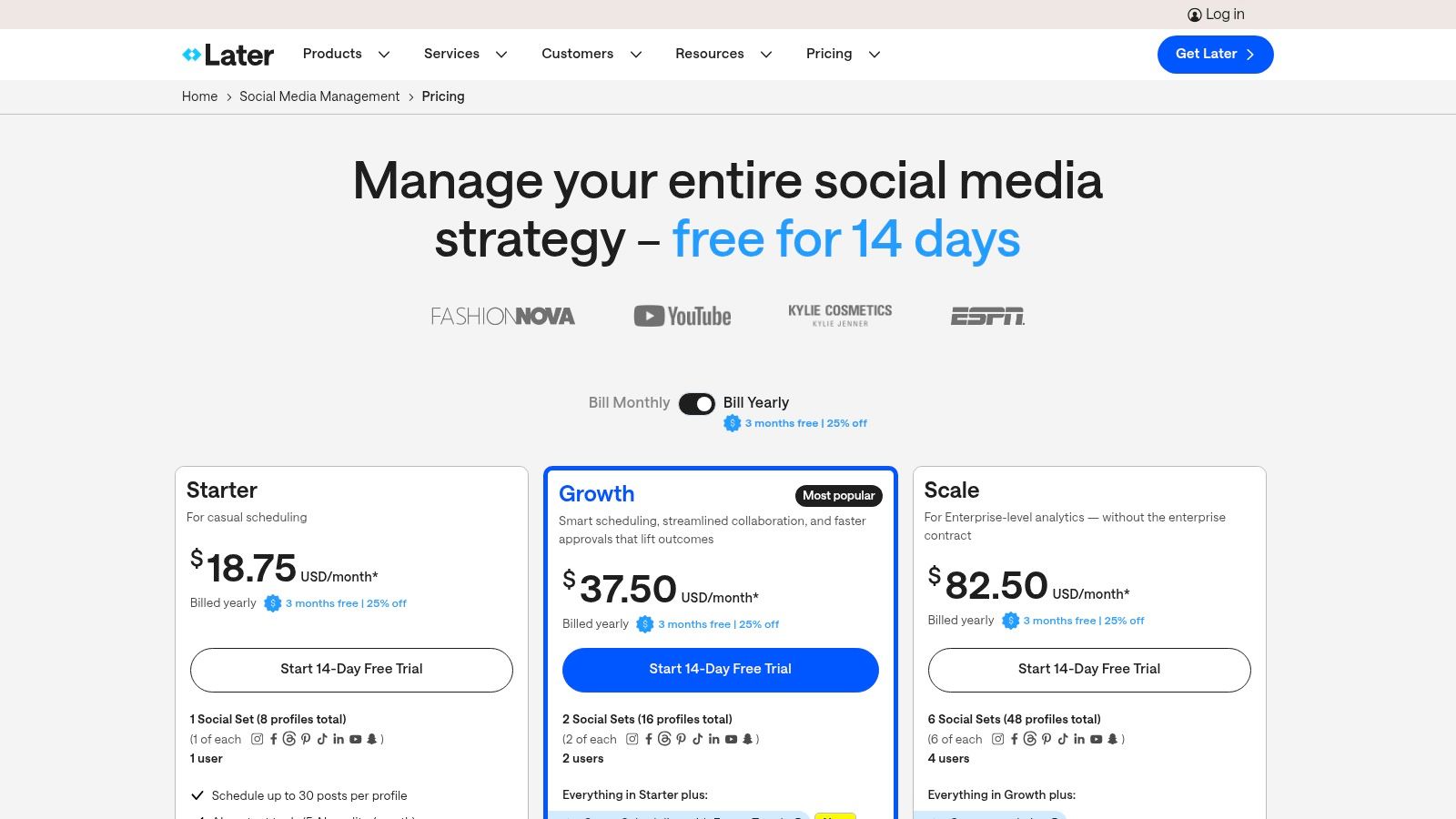
5. Later
Later is a visually-focused platform ideal for creators and brands prioritizing Instagram, TikTok, and Pinterest. Its drag-and-drop visual planner allows you to see exactly how your grid will look, making it a favorite for maintaining a specific aesthetic.
Who is Later best for?
Individual creators, influencers, and e-commerce businesses whose primary marketing channels are Instagram and TikTok. Its intuitive interface and visual planner are excellent for solo entrepreneurs.
- Pricing: Starts at $25/month.
- Pros: Excellent visual planner for Instagram, strong creator-focused features.
- Cons: Lower-tier plans have monthly post limits.
6. SocialPilot
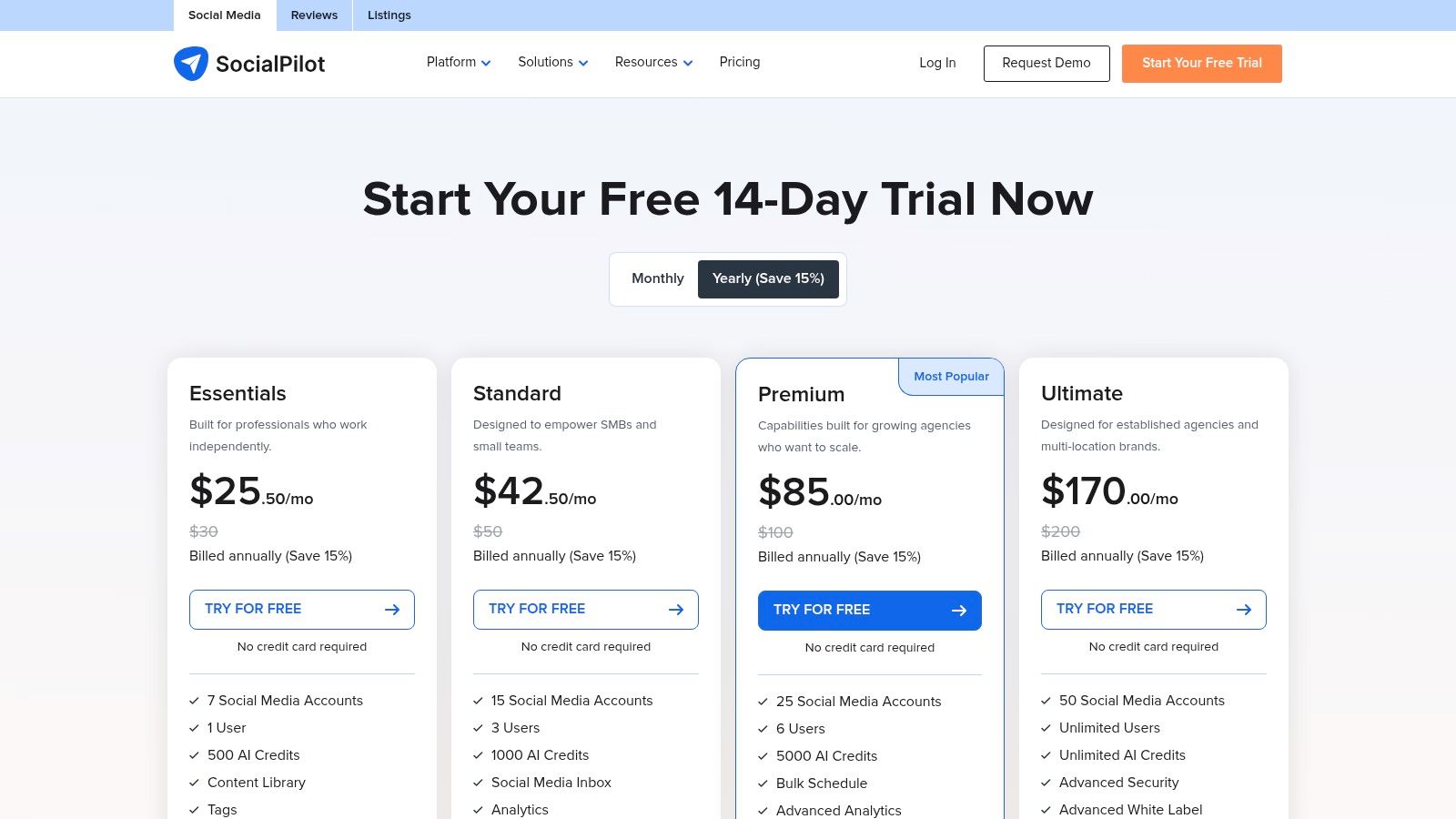
SocialPilot is a great choice for marketing agencies and growing businesses that need to manage a high volume of social accounts without an enterprise price tag. It balances affordability with powerful features, making it one of the best social media scheduling tools for teams prioritizing client management.
Who is SocialPilot best for?
Marketing agencies and social media teams managing a large portfolio of client accounts. Its price-to-capacity ratio and white-label reporting support an agency model.
- Pricing: Starts at $25.50/month (billed annually).
- Pros: Great value for agencies, client management features.
- Cons: The interface is more functional than premium competitors.
7. Sendible
Sendible is built specifically for marketing agencies and their clients. It excels at streamlining workflows that involve multiple brands and stakeholders, offering a powerful combination of scheduling, collaboration, and reporting tools.
Who is Sendible best for?
Marketing agencies, freelancers, and social media managers who handle multiple client accounts. Its client management features are tailored for professionals who need to deliver and report on social media services efficiently.
- Pricing: Starts at $29/month.
- Pros: Strong agency features, scales effectively, affordable entry point.
- Cons: Daily sending limits per user might be restrictive for some.
8. Agorapulse
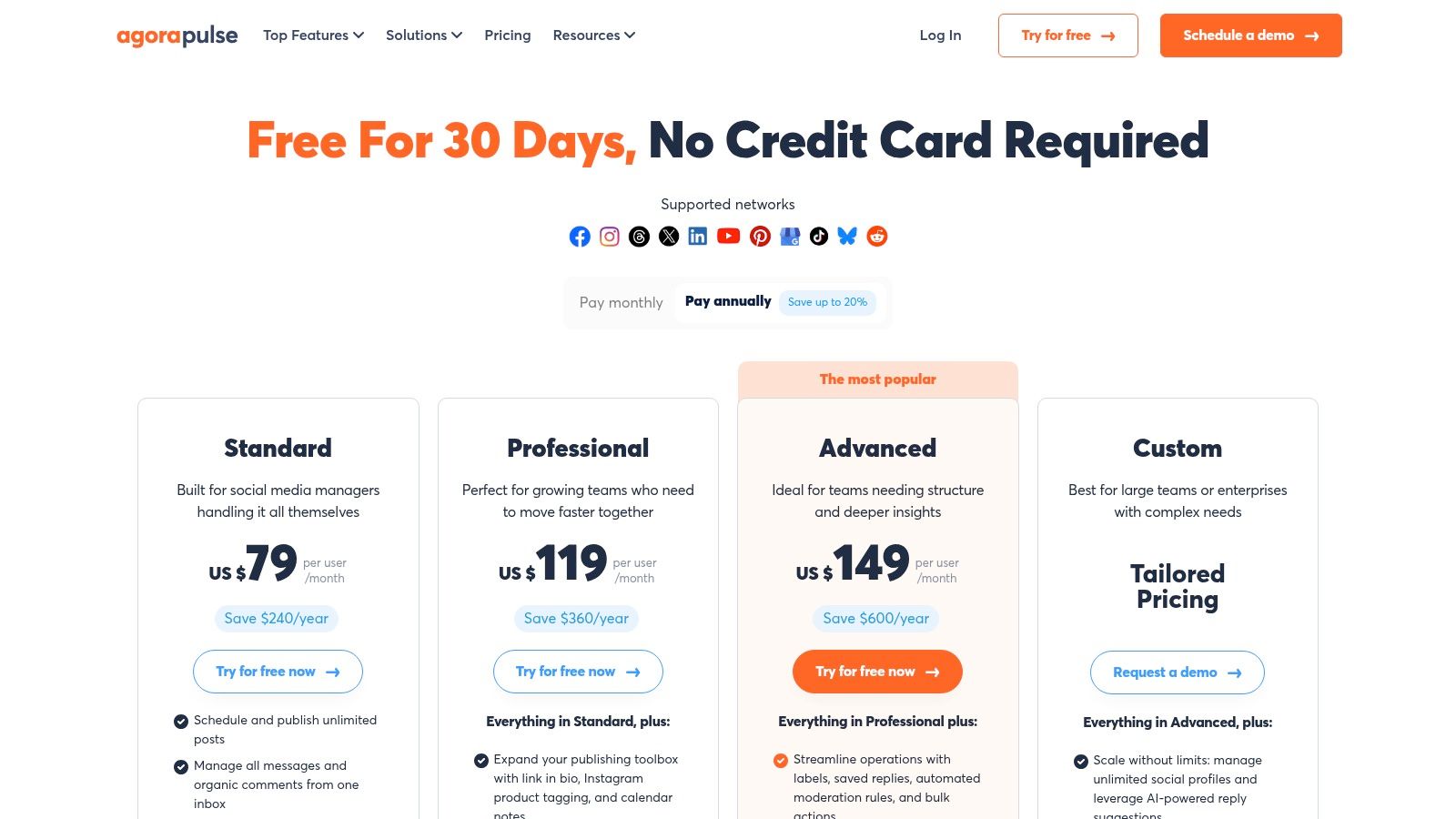
Agorapulse is a robust, all-in-one social media management suite that excels in moderation, team collaboration, and reporting. It's particularly valued by teams who need a powerful unified inbox to manage both organic comments and ad-related engagement efficiently.
Who is Agorapulse best for?
Marketing agencies and social media teams that prioritize responsive community management and detailed performance tracking. Its mature moderation tools make it a reliable choice for managing high-volume engagement.
- Pricing: A free plan is available. Paid plans start at $49/user/month (billed annually).
- Pros: Excellent unified inbox, unlimited post scheduling, responsive customer support.
- Cons: Per-user pricing can become costly for larger teams.
9. CoSchedule (Social Calendar)
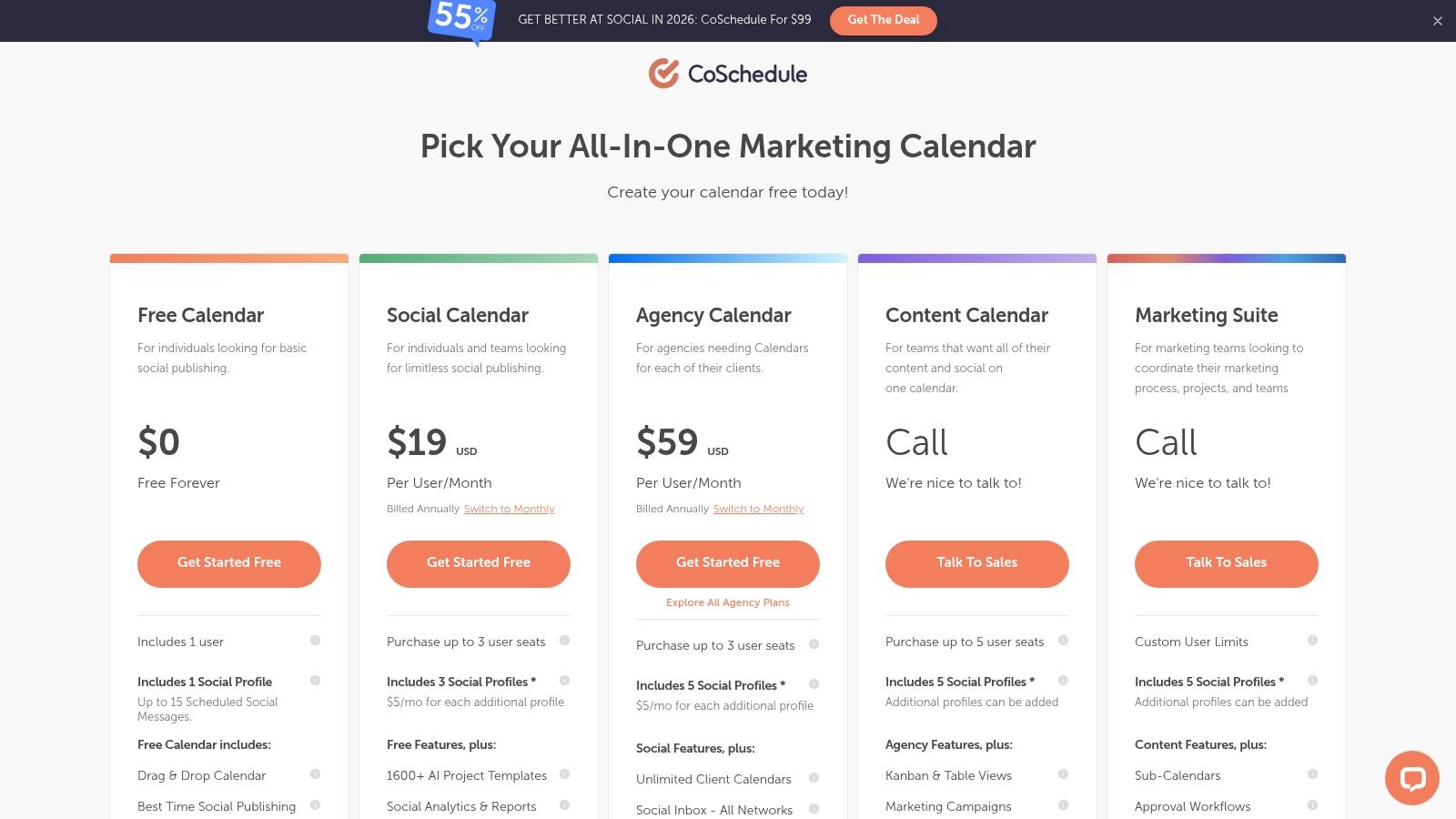
CoSchedule is a marketing-first platform where social media scheduling is integrated into a master content calendar. This approach is perfect for teams that want to visualize their entire marketing strategy—from blog posts to social campaigns—in one place. This level of planning is crucial for a strong social media strategy for a podcast or any content-heavy project.
Who is CoSchedule best for?
Marketing teams and content creators that manage a content-heavy strategy. Its calendar-first approach helps visualize how social promotion aligns with blog posts, product launches, and other campaigns.
- Pricing: A free plan is available. The Social Calendar plan is $19/user/month.
- Pros: Excellent calendar-first UX, powerful evergreen content automation.
- Cons: Advanced project management features are part of more expensive suites.
10. Metricool
Metricool stands out for data-driven marketers who need robust analytics and competitor tracking built into their workflow. It combines scheduling with comprehensive reporting, making it a powerful hub for not just publishing content but also measuring its impact.

Who is Metricool best for?
Marketing agencies, freelancers, and in-house teams that require in-depth performance data. Its scalable, brand-based pricing is an affordable solution for managing a growing portfolio of profiles.
- Pricing: A generous Free plan is available. Paid plans start at $22/month for 5 brands.
- Pros: Strong analytics, affordable brand-based pricing, excellent competitor benchmarking.
- Cons: The UI is more functional than inspirational, focusing on data over creation.
11. Planable
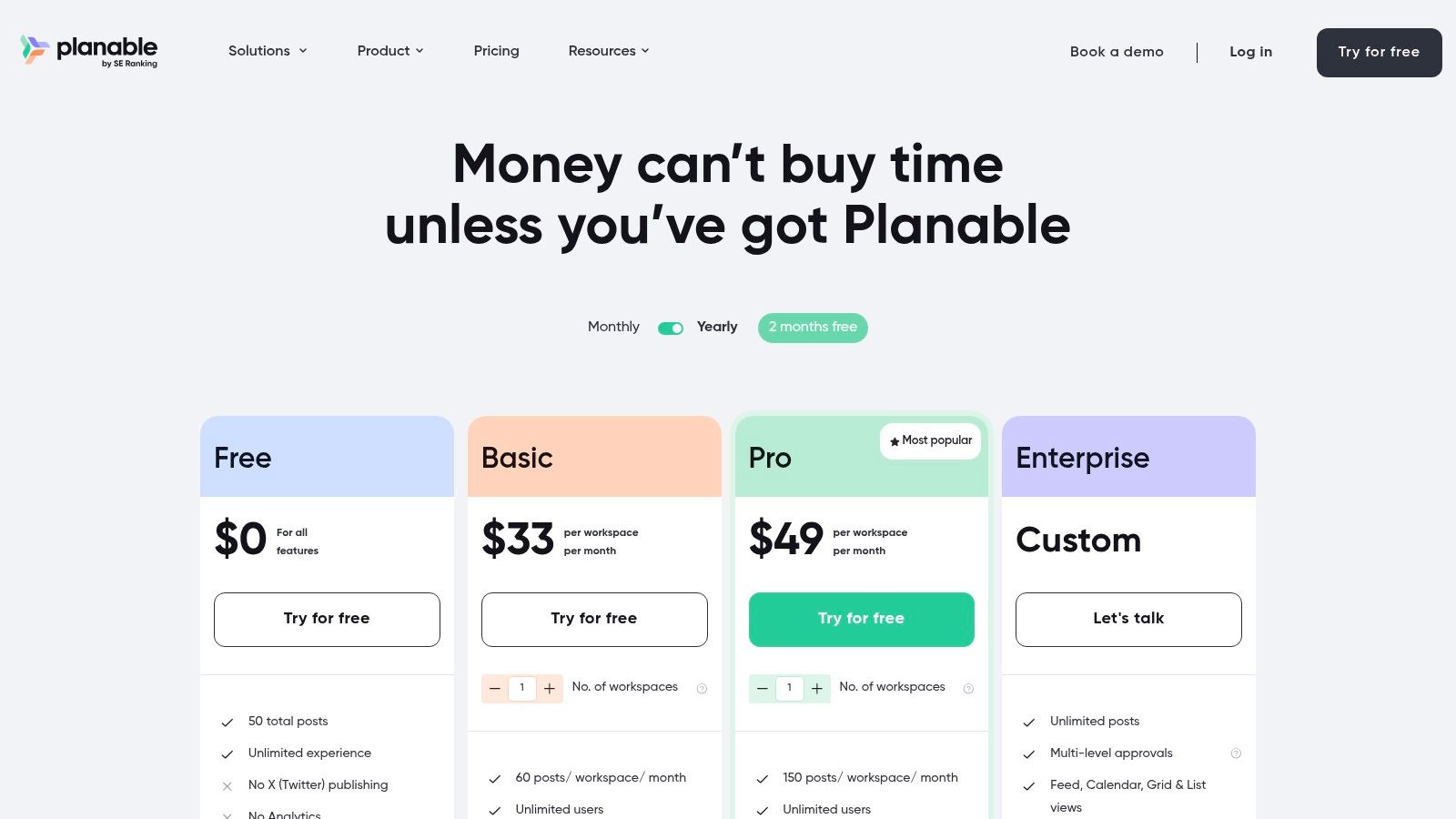
Planable is a collaboration-first platform designed to streamline the content approval process. It centers its workflow around visual accuracy, allowing users to create, preview, and approve posts in a pixel-perfect mock-up of the final published version.
Who is Planable best for?
Marketing agencies and in-house teams who manage content for multiple stakeholders. Its intuitive visual approval workflows are perfect for environments where collaboration and sign-offs are a top priority.
- Pricing: A free plan is available. The Basic plan starts at $11/month per workspace.
- Pros: Excellent for client and team collaboration, multi-step approval flows.
- Cons: Core features like analytics are paid add-ons.
12. Meta Business Suite
For businesses deeply invested in the Meta ecosystem, the native Meta Business Suite is the most practical starting point. It provides free, direct scheduling for Facebook Pages and Instagram accounts without a third-party subscription.
Who is Meta Business Suite best for?
Small businesses, solo entrepreneurs, and creators whose primary social media presence is on Facebook and Instagram. It’s perfect for those who want a simple, no-cost solution for basic scheduling.
- Pricing: Completely free.
- Pros: Free and native, reduces API connection errors, reliable basic scheduling.
- Cons: Limited to a 29-day scheduling window and only supports Meta platforms.
Final Thoughts: How to Choose Your Tool
The "best" social media scheduling tool is the one that fits your specific workflow. The goal is to reclaim your time with a repeatable system.
To make your final decision, follow this simple process:
- Identify your biggest bottleneck. Is it creating content, getting approvals, or analyzing results? Choose a tool that solves your primary problem first. If you struggle to create enough engaging video content, a tool like Flowjin is the logical choice because it solves the content problem before the scheduling problem.
- Shortlist your top 3 tools. Based on our reviews, pick the three that seem like the best fit.
- Sign up for free trials. Test the real-world workflow by scheduling a week's worth of actual content. See how intuitive the interface is and if it saves you time.
Ultimately, the right platform will feel less like another piece of software and more like a dependable partner in your marketing. For more inspiration on building out your content, explore these graphic design tips for engaging social media graphics to make your posts stand out.
Ready to stop the content treadmill? Flowjin uses AI to find the best moments in your long-form content and transforms them into branded, share-ready social posts. Go from a one-hour podcast to a week of content in minutes.
Try Flowjin today.
.png)