Table of Contents
Learning how to make a highlight video is the secret to getting more out of your podcasts, webinars, and interviews. It’s about finding your best moments, editing them for social media, and creating a steady stream of content without spending hours in a complex video editor.
The goal is to turn one long recording into multiple shareable clips. Success means having a repeatable system that lets you create high-quality, branded highlights quickly and consistently.
This guide walks you through a simple, step-by-step workflow for turning your long-form content into engaging social media videos that grow your audience.
What This Guide Covers
Here’s a quick look at the actionable steps we’ll cover:
- Pinpointing 'Golden Nuggets': How to find impactful quotes, stats, and stories in your long-form content.
- The 4-Step Workflow: A repeatable process for creating highlights, from finding clips to final polish.
- Common Mistakes to Avoid: Quick fixes for the most common issues that make highlight videos fall flat.
By the end, you'll have a clear system for turning a single recording into weeks of compelling social media content.
Find Your Golden Nuggets Before You Start Editing
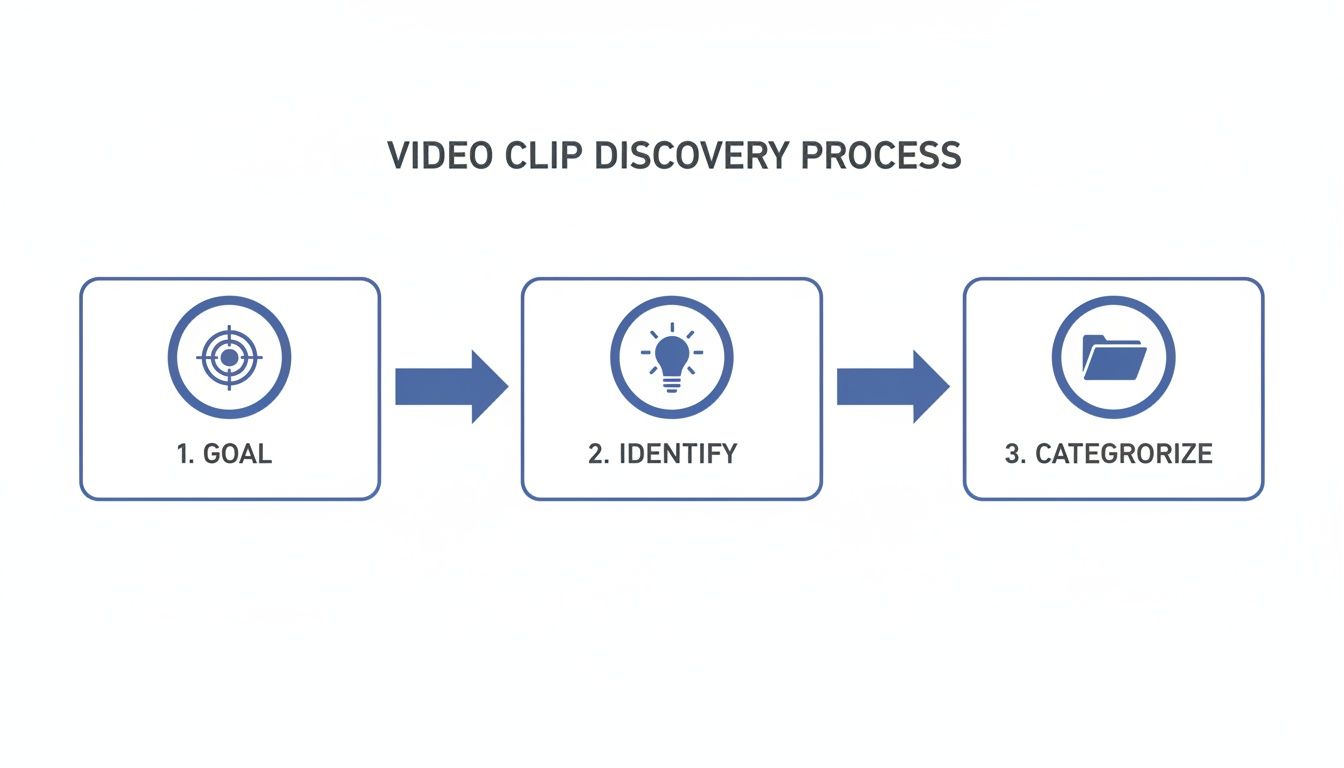
Before opening any editing software, you need a plan. The most important question is: What is the goal of this highlight video?
Your answer changes everything.
- Want to drive traffic to a full episode? You need a juicy cliffhanger.
- Want to build brand authority? Share an insightful, actionable tip.
- Want to generate leads? Find a clip that hits a specific pain point.
Define Your Content Pillars
To keep your social media feed consistent, establish content pillars. These are 2-4 core themes your brand consistently talks about.
For a business podcast, your pillars might be:
- Actionable Tips: Quick, tactical advice.
- Industry Insights: Commentary on trends or news.
- Relatable Stories: Personal anecdotes that build trust.
- Contrarian Takes: Strong opinions that get people talking.
Categorizing your clips into these pillars creates a balanced content mix and keeps your audience engaged.
Pro Tip: Don't just rely on your gut. Check the comments on your long-form video. The moments that get the most questions or "aha!" reactions are pure gold for highlight clips.
How to Spot a Golden Nugget
A "golden nugget" is a self-contained idea that delivers value on its own. It should make sense even without the context of the full video.
Ask yourself: if someone only sees this 45-second clip, will they learn something, feel something, or be curious enough to want more?
Look for:
- Surprising Statistics: Hard numbers that make people stop and think.
- Powerful Quotes: A single sentence that sums up a big idea.
- Emotional Peaks: Moments of genuine laughter, vulnerability, or excitement.
- Step-by-Step Instructions: A quick mini-tutorial that solves a nagging problem.
Manually digging through footage is a slog. A transcript is your best friend—you can quickly search for keywords and pinpoint key sections. If you need a refresher, our guide on how to get clips from YouTube videos breaks down effective methods.
This planning phase separates a random collection of clips from a content strategy that works.
How to Make a Highlight Video: A 4-Step Workflow
Manually scrubbing through hours of footage is the biggest bottleneck in video repurposing. A modern, AI-powered workflow automates the most painful part: discovery. This is how you stop grinding and start producing high-impact clips consistently.
Here's a simple workflow using Flowjin, an AI tool for creators and marketers who need to turn long-form content into social-ready clips without the headache.
Step 1: Find Your Best Moments with AI
Instead of hunting for highlights yourself, let an intelligent system find them for you.
Simply upload a video, drop in a podcast audio file, or paste a YouTube link into Flowjin. The AI analyzes the entire transcript to pinpoint the most compelling, shareable moments. Within minutes, you get a collection of suggested clips ready for review.
This AI-first approach gets you out of the technical weeds and back to focusing on strategy. It’s the key to maintaining a consistent publishing schedule without burning out.
Step 2: Brand and Polish Your Clips
A raw clip feels amateurish. The final polish is what turns a good moment into a professional piece of content. This is how you make your videos recognizable, even when viewed with the sound off.
- Trim for Punchiness: Tighten up the AI-suggested clips. Snip out any dead air at the beginning and end. Your clip should start right at the hook and cut off immediately after the value bomb drops.
- Add Animated Captions: Most social media video is watched on mute. Animated, word-by-word captions (karaoke-style) are highly effective at holding attention.
- Use Smart Cropping: For vertical videos, the speaker must stay centered. Flowjin’s speaker tracking automatically keeps the active speaker in the frame, so your vertical clips are perfectly composed.
Step 3: Systemize Your Branding
Branding your clips shouldn't be a manual task. In Flowjin, you can set up your brand once and apply it to every clip with a single click.
- Upload Your Logo: Pick a consistent spot, like the top-right corner.
- Define Brand Colors: Set your primary and secondary colors for captions, headlines, and progress bars.
- Choose Your Fonts: Select fonts for headlines and captions to keep typography consistent.
Once saved, this brand kit is automatically applied to all new clips, creating a cohesive look across your entire social feed.
Step 4: Add Engaging Visuals and a CTA
A few extra visual elements can boost engagement.
- Headlines That Hook: A clear headline at the top tells people what they're about to learn (e.g., "The #1 Mistake New Podcasters Make").
- Progress Bars: An animated progress bar at the bottom encourages viewers to stick around until the end, improving completion rates.
- Calls-to-Action (CTAs): Add a clear CTA as a text overlay in the final seconds to guide viewers to the next step (e.g., "Watch the full episode now (link in bio)").
By using one of the best AI reel generators in 2024, you can automate these polishing steps and scale your content production without scaling your workload.
Common Mistakes When Making Highlight Videos (and How to Fix Them)
Learning how to make a highlight video involves avoiding common pitfalls. Here are a few mistakes to watch out for.
For more platform-specific tips, check out our guide on how to edit Instagram Reels for engagement.
How to Distribute and Optimize Your Highlight Video
A great clip that no one sees is a wasted effort. The final step is getting it in front of the right people on the right platforms. A video that explodes on TikTok can completely tank on LinkedIn. You have to play by each platform’s rules.
Match the Format to the Platform
Each platform has a preferred video format. Getting it right is the first step to looking professional.
- 9:16 (Vertical): The champion for TikTok, Instagram Reels, and YouTube Shorts.
- 1:1 (Square): Highly versatile and performs well in the feeds of LinkedIn, Facebook, and Instagram.
- 4:5 (Portrait): A powerhouse on Instagram and Facebook feeds, giving you extra vertical space.
Manually cropping and re-exporting for each format is tedious. A repurposing tool like Flowjin lets you export your highlight in all the necessary formats at once.
Nail the Copy and Hashtags for Each Channel
The caption gives your video context and signals to the algorithm who should see it.
Flowjin’s AI can generate platform-specific post copy for you, giving you drafts tailored to the right tone—professional for LinkedIn, casual for TikTok. It even suggests relevant hashtags. This turns a time-sucking task into a quick review.
Track the Metrics That Matter
Your analytics tell you what resonated with your audience. Focus on data that reveals true engagement.
- Average View Duration: The most important metric. A high duration signals to algorithms that your content is valuable.
- Engagement Rate: Likes, comments, shares, and saves. High engagement means you sparked a reaction.
- Click-Through Rate (CTR): If your video had a CTA, this measures how many viewers took the next step.
This feedback loop transforms your content creation from a guessing game into a data-driven strategy. Of course, to make sure your hard work pays off, it helps to keep the bigger picture in mind. Brushing up on these 10 Video Marketing Best Practices to Master will help ensure your highlight videos perform exceptionally well.
Common Questions About Making Highlight Videos
Even with the best workflow, you're bound to have questions. Here are some of the most common ones.
What Is the Ideal Length for a Highlight Video?
It depends on the platform.
- For TikTok and Instagram Reels, aim for 15-45 seconds. Land one powerful idea and get out.
- For LinkedIn or Facebook, you can stretch to 60-90 seconds if the content is packed with value.
No matter the length, deliver your core message within the first three seconds.
How Many Highlight Clips Can I Get From One Video?
A great goal is to pull one to two weeks' worth of social media content from a single long-form recording. From a typical hour-long podcast or webinar, you can easily find 8-15 high-quality moments.
Using an AI tool like Flowjin may help you find even more potential clips. Remember, quality over quantity.
How Do I Choose Which Moments to Highlight?
The best highlights deliver an emotional or intellectual punch and make sense on their own.
Look for:
- Strong, Contrarian Opinions
- Surprising Statistics
- Actionable Tips
- Relatable Stories
Start with the transcript. Search for standalone sentences that deliver a complete, powerful thought.
What Is the Best Way to Add a Call to Action?
Your CTA should feel like a natural next step.
- Text Overlay: A simple overlay during the last few seconds (e.g., "Watch the full interview at the link in our bio").
- Post Caption: Use your caption to ask a question or point people to a resource.
- Verbal Mention: If the speaker says it naturally, it feels organic (e.g., "For more insights like this, check out the full webinar").
The CTA should be relevant to the clip itself—helpful, not pushy. If you're looking for advanced editing tips after identifying your clips, the Ultimate Guide to Drone Video Editing Software can be a useful resource.
Ready to stop manually scrubbing through footage and start creating highlight videos at scale? Flowjin uses AI to find the best moments in your long-form content and turns them into branded, social-ready clips in minutes. Try Flowjin for free and transform your content workflow.
.png)