
Table of Contents
You've filmed, edited, and polished your video. Now for the final step: hitting "publish." But when is the best time to upload video on YouTube to get the most views?
Success means your video gets immediate traction in the first few hours, signaling to the YouTube algorithm that it’s worth promoting. This guide will show you exactly how to find that perfect window.
We'll cover:
- Industry-standard upload times to use as a starting point.
- How to find your channel's unique peak hours using YouTube Analytics.
- A simple testing framework to confirm the best time for your audience.
- How to automate your publishing schedule so you never miss your window.
Let's find your golden hour.
Quick Guide: The Best Times to Upload Videos on YouTube
While every channel is different, broad data gives us a reliable starting point. If you need to publish a video right now and don't have your own analytics yet, use these proven time slots.
Generally, the best time to upload is between 2 PM and 4 PM (local time) on weekdays and 9 AM to 11 AM (local time) on weekends.
These times work because they align with typical daily routines. Weekday afternoons catch people during their end-of-day slump, while weekend mornings are a prime time for relaxed viewing.
A Baseline YouTube Upload Schedule
Here’s a simple checklist of the generally accepted best times to post on YouTube, based on industry research.
Think of this table as your starting hypothesis. The real magic happens when you start testing these times against your own channel's analytics. An analysis of popular YouTube upload times shows that the first few hours are critical for the algorithm, so starting with a proven window gives you a head start.
How to Find Your Channel's Unique Best Time to Upload
General advice is a great start, but your audience is unique. To find the actual best time to upload for your channel, you need to look at your own data. The most accurate information is already waiting for you in YouTube Studio.
Step 1: Find Your Viewer Activity Report
Your goal is to find the "When your viewers are on YouTube" report. This chart shows you exactly when your audience is most active.
Here’s how to find it:
- Go to YouTube Studio.
- Click Analytics in the left menu.
- Select the Audience tab.
- Find the "When your viewers are on YouTube" chart.
You'll see a grid showing days and hours. The darker the purple bar, the more viewers are online.
Step 2: Identify Your Peak Times
Look for the darkest purple blocks on the chart. These are your golden hours—the times when the largest portion of your audience is on YouTube and ready to watch.
For example, if you see consistently dark purple bars on Thursdays between 4 PM and 6 PM, that's a strong signal. That’s your prime publishing window.
Pro-Tip: Schedule your video to go live 1-2 hours before this peak time. This gives the YouTube algorithm time to index your video so it's ready to be served to your audience as soon as they log on.
While there are many YouTube monitoring solutions, your own analytics report is the most powerful free tool you have.
How to Create and Test a Repeatable Upload Schedule
Your analytics give you a hypothesis. Now it's time to test it with a repeatable system. This process ensures you're making data-backed decisions, not just guessing.
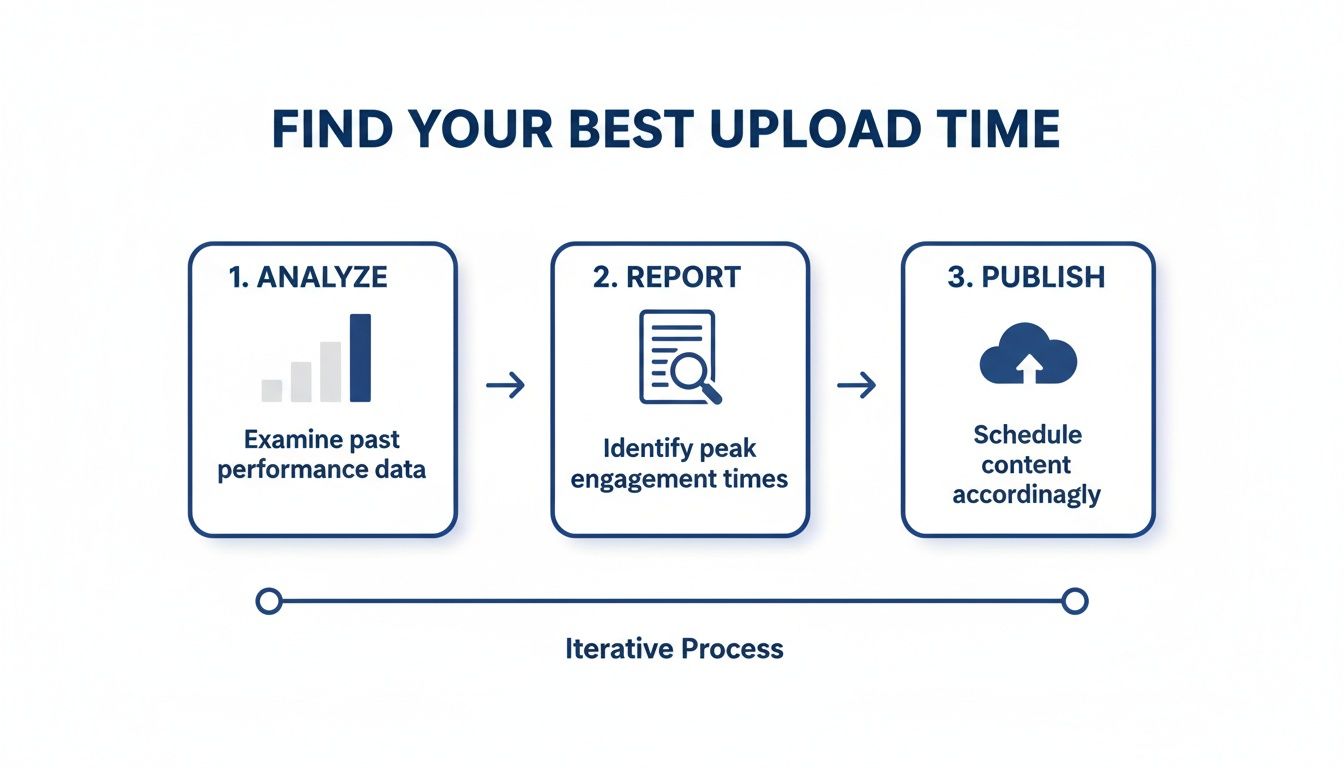
Set Up a Simple A/B Test
An A/B test allows you to compare two different time slots to see which performs better. The key is to only change one variable: time.
For the test to be accurate, the videos you compare should have similar topics, formats, and thumbnail styles.
Here are the key metrics to track for each video:
- View Velocity (First 3 Hours): How quickly views accumulate right after publishing.
- Total Views (First 24 Hours): The video's initial momentum.
- Audience Retention: Are people watching a significant portion of the video?
If you need more videos for testing, learning how to get clips from YouTube videos from your existing long-form content is a smart way to fill your calendar without extra work.
A/B Testing Template for YouTube Upload Times
Use this plan to systematically test two potential time slots over a month. Let's say your analytics suggest Thursday at 4 PM and Friday at 2 PM are strong contenders.
After a month, you'll have clear, data-backed evidence showing which time slot drives the best results for your channel.
Automating Your Publishing Workflow to Hit Peak Times
Finding your best upload time is a huge win. But the real challenge is consistently hitting that perfect window without burning out. Manually managing a content calendar is stressful and time-consuming.
This is where automation becomes essential.
How to Automate Your Content Pipeline
A unified tool can connect your content creation directly to your publishing schedule, saving you hours every week.
Flowjin is an AI video repurposing tool designed for busy creators and marketers to turn long-form content into dozens of social-ready short clips. It’s built to create a full calendar of assets from a single video or podcast.
Here's how it simplifies the workflow:
- Upload a long video: Drop in a podcast, webinar, or interview.
- AI finds the best moments: Flowjin's AI automatically identifies engaging highlights and creates polished short videos with captions and branding.
- Schedule everything in one place: Use the built-in calendar to schedule your long-form video and all the short clips to YouTube at your peak times.
This transforms your process. You’re not just finding the best time to upload a video on YouTube; you're building an automated system that guarantees you never miss it. A solid tool combined with an effective content creation workflow is the key to sustainable growth.
You can learn how Flowjin integrates everything in our guide to the latest features, including the unified social calendar.
Capitalizing on Weekend Viewership Patterns

Weekend viewers are different. They're relaxed, have more time, and are ready to dive deep into content. This creates a massive opportunity, especially for longer or more detailed videos.
The Friday & Weekend Sweet Spot
Think of Friday afternoon as the launchpad for the weekend. As people finish work, they start queuing up videos to watch. Data on peak engagement times on DesignRush confirms that late Friday is a prime window for engagement.
The weekend mindset is perfect for:
- In-depth tutorials: Viewers have time to sit down and learn something new.
- Entertainment and vlogs: Lighter content performs well when the audience is looking to unwind.
- Long-form interviews or documentaries: Cater to viewers with a longer attention span.
- YouTube Shorts: A steady stream of Shorts keeps your channel top-of-mind and can drive traffic to your longer videos.
If you create long-form content, an AI YouTube Shorts maker like Flowjin can help you create a batch of short clips from one video. This lets you capture the weekend audience with both a hero video and a consistent flow of bite-sized content.
Common Questions About YouTube Upload Times
Let's clear up a few common questions about scheduling your YouTube videos.
Does Publish Time Really Matter to the Algorithm?
Yes, it matters a lot. The first few hours after a video goes live are critical.
The algorithm tests your video with a small group of your audience. Strong initial signals like high views, watch time, and engagement tell the algorithm that people like your content. This encourages it to push your video to a wider audience.
Publishing at your peak time gives your video the best possible start.
Uploading vs. Publishing: What’s the Difference?
This is a key distinction for a smooth workflow.
- Uploading is sending your video file to YouTube's servers.
- Publishing is making that video live for viewers.
These two actions should not happen at the same time. Always upload your video well in advance and schedule it to be published later.
How Much Processing Time Should I Allow?
A good rule of thumb is to upload your video at least 2-4 hours before its scheduled publish time. For longer 4K videos, upload it the night before.
This buffer ensures:
- Your video is available in the highest resolution at launch.
- Any copyright claims are resolved privately.
- Monetization is ready to go.
Should I Stick to One Time or Mix It Up?
Consistency is key. Sticking to a predictable schedule (e.g., every Thursday at 4 PM) trains your audience to show up for new content. This builds a loyal community and boosts your initial views.
Once you establish a core schedule, you can experiment. For instance:
- Quick tips: Post during weekday lunch breaks.
- Long-form vlogs: Schedule for weekend mornings.
Start by mastering one consistent upload time based on your data.
Finding your best upload time and hitting it consistently is a game-changer for channel growth. But managing a content calendar, especially when repurposing videos into clips, can be overwhelming.
That's where Flowjin comes in. Our AI platform turns your long-form videos and podcasts into dozens of social-ready short clips and lets you schedule everything from one simple calendar. Stop scrambling to publish on time and let automation do the heavy lifting. Try Flowjin and build your content machine today.