Table of Contents
Creating great video or podcast content takes serious effort. The last thing you want is for it to disappear after one post. This guide will show you how to repurpose content effectively, turning one core video into a full week of high-performing social media posts without burning out.
Success means having a repeatable system that consistently generates clips, quotes, and posts tailored for each platform. You'll learn how to find the best moments in your long-form content, quickly turn them into engaging assets, and schedule them for maximum impact.
This guide covers a simple, step-by-step workflow you can use every week.
The "Why": Multiply Your Impact, Not Your Workload
Content repurposing is about efficiency. You do the heavy lifting once—recording that webinar or podcast—and then amplify its impact over and over. Each new asset you create introduces your core message to a different segment of your audience on platforms like LinkedIn, X (formerly Twitter), and TikTok.
This isn't just a tactic for small teams; it's a proven strategy.
A recent survey found that 94% of marketers actively repurpose their content. It's an essential play for busy creators and marketers who want to maximize their reach without creating everything from scratch. You can dive deeper into these content repurposing statistics here.
To make this process fast and repeatable, you need to automate the tedious parts. Manually scrubbing through an hour-long video for shareable clips is a huge time sink. This is where AI-powered tools change the game.
Throughout this guide, we'll show you how Flowjin, an AI video repurposing platform for busy creators and marketers, turns long-form videos into dozens of social-ready clips automatically. It transforms a manual chore into a smooth, scalable workflow.
Your Weekly Content Repurposing Checklist
This checklist breaks down the entire process into repeatable steps. Follow it each week to stay on track and build a consistent content engine.
Now, let's break down each step of this workflow.
Step 1: Start with Your Best Pillar Content
First, choose your "pillar" content. This should be a high-value recording packed with your best insights, stories, and actionable advice. The best candidates are typically value-dense and feature a clear speaker.
Good examples include:
- Webinar recordings
- Podcast interviews
- Customer testimonials
- Keynote speeches
- In-depth tutorials
Once you’ve selected your pillar content, the goal is to find the "micro-moments" hidden inside—the short, punchy, shareable snippets that make people stop scrolling.
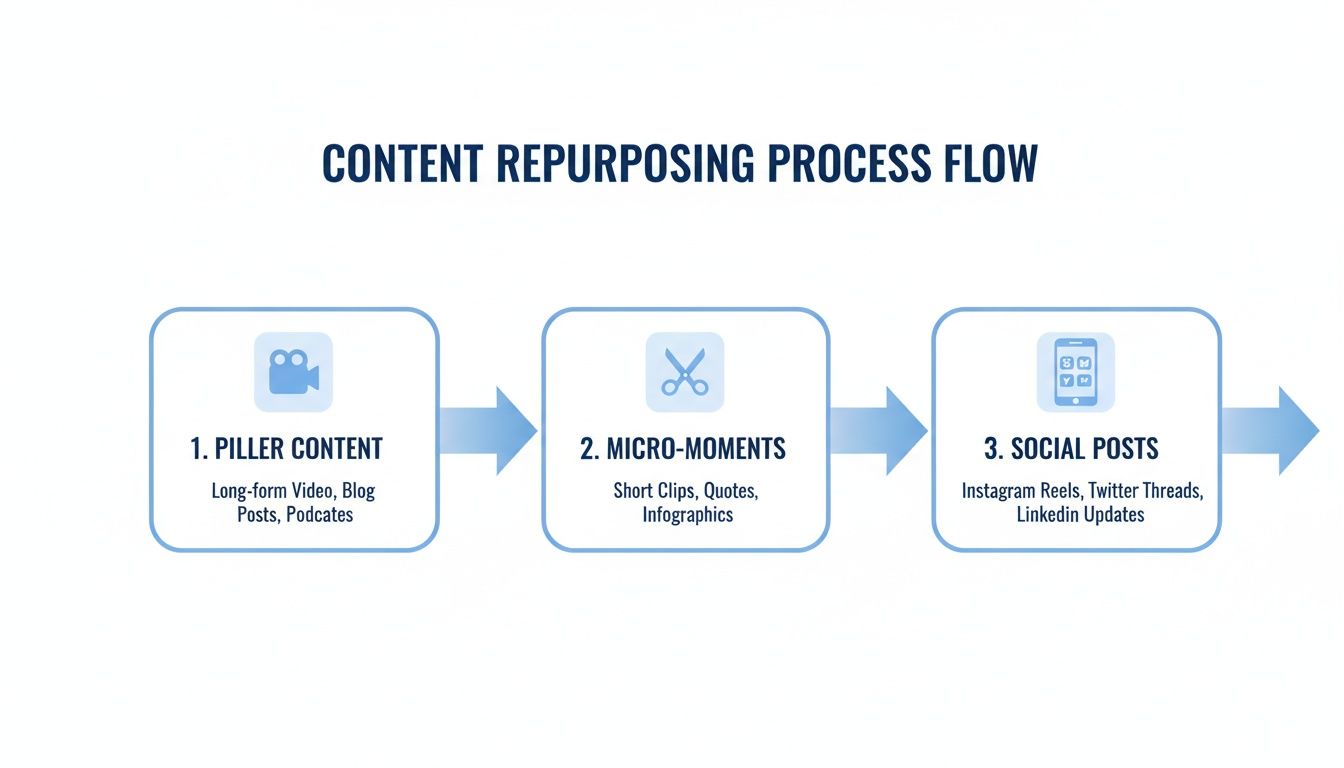
Manually finding these moments is the biggest bottleneck in the process. This is where you should use automation to build a repeatable system.
Step 2: Automate Clip Discovery with AI
To make your repurposing workflow something you can stick to, you must automate the most time-consuming step: finding the best clips.
This is exactly what Flowjin, our AI platform for creators and marketers, was built to solve. Instead of manually reviewing your recording, you just upload your source material.
There are two ways to get started:
- Upload your video file: Directly drop in a webinar or interview recording.
- Paste a YouTube link: Instantly pull in any public video to start the process.
Once your content is uploaded, Flowjin’s AI scans the entire recording and automatically pinpoints the most engaging highlights. Within minutes, you get a list of potential clips, complete with transcripts and titles—no manual scrubbing required.
This automated first step is the cornerstone of an efficient repurposing machine and is the core strategy we break down in our guide on how to turn one video into a week of content.
With a curated list of high-potential moments ready, you can move on to making them look great.
Step 3: Brand and Refine Your Clips
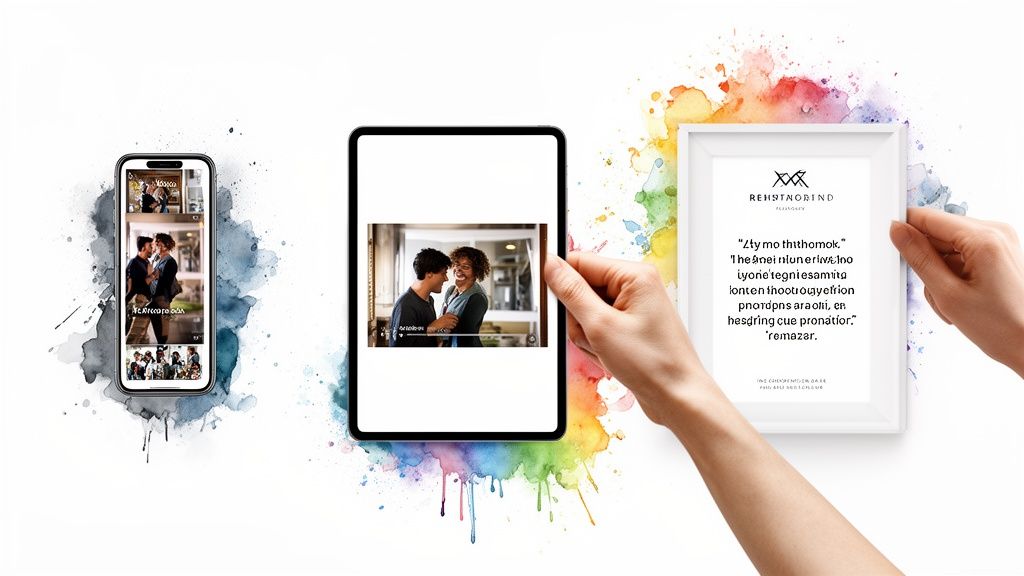
Now it's time to turn the raw, AI-generated clips into polished, on-brand assets. The goal is to make every post feel native to the platform where it will live, avoiding the "repurposed afterthought" look.
A punchy vertical video is perfect for TikTok, while a thoughtful, branded quote image is more likely to stop the scroll on LinkedIn.
Apply Your Brand in One Click
Applying consistent branding makes your work instantly recognizable in a crowded feed. This is where brand templates are a massive time-saver.
Inside Flowjin, you set up your brand kit once—upload your logo, define your colors, and choose your fonts. After that, every clip you generate is automatically stamped with your visual identity, ensuring a professional, cohesive look across all channels.
Create Multiple Asset Types from One Clip
Effective repurposing goes beyond just video clips. A single powerful insight can be turned into multiple asset types to connect with different audience preferences.
From one core moment, you can generate:
- A vertical video clip for TikTok, Reels, and Shorts.
- An audiogram with animated waveforms for Instagram or LinkedIn.
- A branded quote image that highlights a key takeaway.
- A tweet thread that breaks down the concept into bite-sized text posts.
This multi-format approach multiplies the value of every insight. Platforms like Flowjin automate this diversification. When you import a video, the AI finds the best clips and can generate these other content types simultaneously, giving you a complete content package from one source.
For a deeper dive, learn how to get clips from YouTube videos using our detailed guide.
Step 4: Write Compelling, Platform-Specific Copy
A great video will fall flat if the copy is an afterthought. Your caption provides context, sparks curiosity, and tells people what to do next.
Writing fresh copy for every single post is a time-suck. This is where AI copywriting tools are a huge help. Instead of starting from scratch, you get a tailored first draft that’s already 80% of the way there.
For every clip it creates, Flowjin's AI also drafts platform-specific copy—complete with catchy titles, descriptions, and relevant hashtags. This saves you from the blank page and gets your messaging pointed in the right direction instantly.
The Anatomy of a High-Performing Post
A great social media post follows a simple, effective formula.
- The Hook: Your first sentence must stop the scroll. Use a provocative question, a bold statement, or a surprising stat.
- The Body: Add context and deliver value. Explain the main takeaway from the video using short sentences and line breaks.
- The Call-to-Action (CTA): Tell people exactly what you want them to do next. Be direct: "Share your thoughts below," "Click the link in bio," or "Tag a colleague."
Platform-Specific Copywriting Examples
Let's see how this framework works for a repurposed clip about a common marketing mistake.
For LinkedIn (Professional & Value-Driven)
- Hook: Most B2B marketers are measuring the wrong metrics.
- Body: We get obsessed with vanity metrics like likes and shares, but they don't tell the real story. In this clip, [Guest Name] breaks down why focusing on pipeline contribution and revenue influence is the only way to prove marketing's true impact.
- CTA: What's the #1 metric your team is focused on this quarter? Let me know in the comments.
For X (Concise & Conversational)
- Hook: Stop chasing vanity metrics. 🤯
- Body: Your boss doesn't care about likes. They care about revenue. A quick take on why pipeline is the only marketing metric that really matters.
- CTA: Agree or disagree?
For Instagram (Visual & Engaging)
- Hook: Are you making this common marketing mistake? 👇
- Body: It's so easy to get caught up in the numbers that look good on paper. But real success comes from tying our efforts directly to business growth. Here's a simple mindset shift that changed everything for us.
- CTA: Drop a 🔥 in the comments if this resonates!
This strategy is backed by data. 42% of marketers pointed to updating and repurposing existing content as the driver for their most successful campaigns, proving you can amplify reach without the cost of creating from scratch. You can dive deeper into these content repurposing findings here.
Step 5: Schedule and Measure Your Content
You've created a batch of high-quality, on-brand assets. The final step in mastering how to repurpose content is getting it in front of your audience with smart scheduling and then measuring what works.
This is how you build a consistent presence without the daily "what should I post?" scramble.
Unify Your Publishing Workflow
Managing multiple social platforms with separate schedulers is inefficient. A unified workflow is a necessity for busy creators.
Flowjin has a scheduler built right in. This means your entire workflow—from finding a clip to hitting "publish"—happens in one place. You can map out your content week across LinkedIn, X, YouTube, and more without leaving the platform. This connected process slashes friction and reclaims hours every week.
Build Your Content Calendar
With a batch of repurposed assets, filling your content calendar is simple.
- Theme Your Days: Assign content pillars to specific days (e.g., educational tips on Mondays, customer stories on Fridays).
- Mix Your Formats: Alternate between video clips, quote graphics, and text posts to keep your feed visually engaging.
- Schedule in Batches: Carve out one block of time each week to schedule everything. This "set it and forget it" method is more efficient than posting on the fly.
For a deeper look at timing your posts, check out our guide on how to schedule social media posts.
Measure What Matters
Tracking performance creates a feedback loop that makes your content strategy smarter over time. Focus on the metrics that connect to your business goals.
- Engagement Rate: Track comments, shares, and saves to see what resonates.
- Watch Time & Audience Retention: See if your video clips are holding attention. A big drop-off in the first 3 seconds means your hooks need work.
- Click-Through Rate (CTR): If your goal is to drive traffic, this is what matters most.
- Follower Growth: Steady growth paired with strong engagement shows your strategy is attracting the right audience.
This data tells you exactly which topics, formats, and hooks to double down on, improving your entire content strategy.
Common Content Repurposing Questions
Here are straightforward answers to common hurdles.
What’s the best content to repurpose?
Always start with your long-form, value-packed "pillar" content. These assets are goldmines because they're already loaded with smaller stories, tips, and insights you can pull out. Good sources include in-depth webinars, expert interviews, and detailed podcast episodes.
How do I avoid being repetitive?
The secret is adaptation, not just reposting. Re-imagine the same core idea for a different platform and format. A single insight from a webinar can become a 60-second TikTok video, a graphical quote for LinkedIn, and a tweet thread on X. This keeps your feed fresh and respects how people consume content on different channels.
How much time should this take each week?
Once you have a system, you can turn a one-hour video into a week's worth of social content in just 1-2 hours. Tools like Flowjin automate the most tedious parts—like finding the best clips and drafting posts—so you can jump straight to polishing and scheduling.
How do I measure the ROI?
Focus on the metrics that tie back to your business goals. If your goal is brand awareness, track reach and engagement. If it's lead generation, track click-through rates and conversions. Compare the performance of your repurposed content to new content. You should see a massive lift in output and engagement without a big increase in production time. That’s your ROI.
Final SEO Details
Meta Title: How to Repurpose Content: A Step-by-Step Guide for Maximum Reach
Meta Description: Learn how to repurpose content with our proven 5-step guide. Turn one long-form video into a week of social media content and scale your reach.
URL Slug: how-to-repurpose-content
Keep Exploring
To put this knowledge into action without the manual grind, check out Flowjin's AI video repurposing tool. A solid understanding Search Engine Optimization (SEO) will help you get the most out of your efforts.
Looking for more ways to scale up your content game? Dive into our other content marketing guides.
Want to see how these strategies work for a specific niche? We've broken down repurposing workflows for podcasters here.